How a UGC review is structured
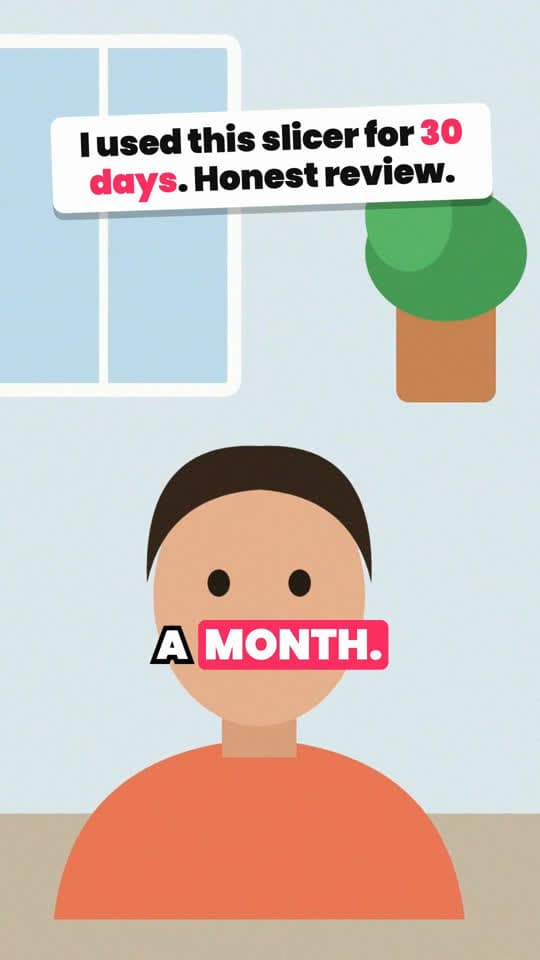
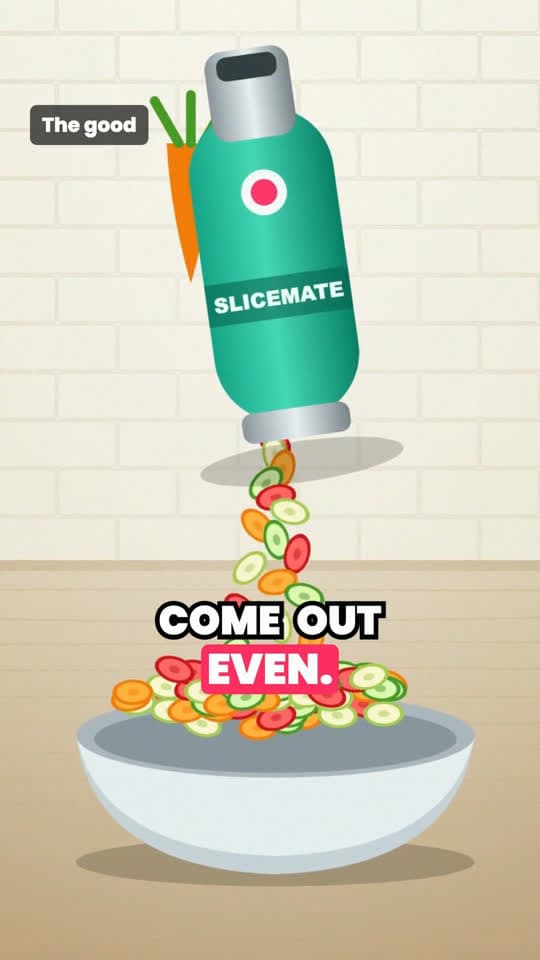
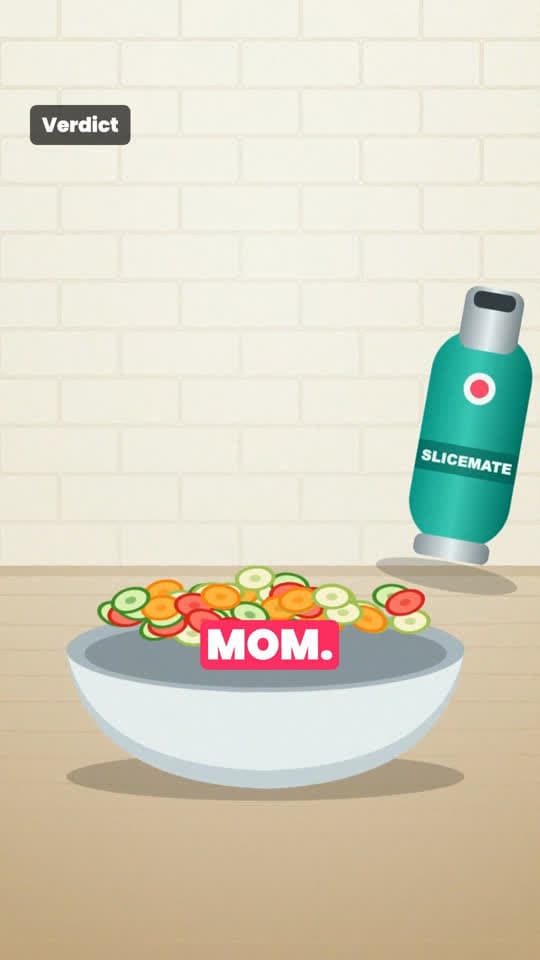
The sample render, clip by clip (about 21 seconds). Each clip comes with a shot guide, so you know exactly what to film.
Layout sketch of the template. The frames at the top come from our own sample render.
| Beat | On screen | Voiceover |
|---|---|---|
| Hook0:00–0:04 | Medium shot, phone at eye level, window light. Sticker title. | “I have used this slicer every single day for a month. Here is my honest take.” |
| Demo0:04–0:09 | Close-up from above: a carrot through the slicer. Label “The good”. | “The good: it slices faster than I can chop, and the coins come out even.” |
| Proof0:09–0:11 | Rinsing it under the tap, product fills the frame. | “Cleanup is honestly the easiest part.” |
| Twist0:11–0:15 | Closer talking head. Label “The downside”. | “The only downside? It is small, so big potatoes need a quick cut first.” |
| Payoff0:15–0:19 | Full bowl, slow handheld move. Label “Verdict”. | “Would I buy it again? Yes. I already bought one for my mom.” |
| Call to action0:19–0:21 | End card with a button. | “The link is in my bio.” |
Why UGC-style videos convert
UGC (user-generated content) ads look like a person talking about something they own, because that is what they are. People trust a hand holding a product in a real kitchen more than a polished packshot, and admitting a downside, like the small size in our sample, makes the rest of the review easier to believe.
What makes most UGC videos watchable is the editing, not the camera: cutting straight to the point, a clear title in the first seconds, and captions for the many people who watch without sound. That is the part this template does for you.
You film, we edit
After you choose this template, the script comes with a shot guide for every clip: the framing, the angle, the light and what to say or do. Film each clip on your phone, vertically, in any order, then upload them. Two to ten clips work.
We put the clips in script order, add jump-cut zooms to keep the pace up, place the hook title on the opening, generate word-by-word captions and finish with an end card. The voice is an AI voiceover of the script.
- A shot guide for every clip, written for your product
- Clips cut in order with punch-in zooms
- Hook title in sticker, banner or outline style
- Word-by-word captions and an end card with your call to action
Writing a UGC script that sounds like a person
Short sentences, first person, one idea per clip. Say what you actually noticed using it, including one thing you'd change. The script generator starts from a UGC video you broke down, so it keeps the rhythm of a real creator rather than the rhythm of an ad.
If you hire creators, the same script and shot guide work as a brief: send them the shots to film, and render the clips they send back.
When to use UGC with captions
Good fit
- Reviews, first impressions and “30 days with…” videos
- Products whose value is in the experience, not a single visible result
- Sellers who can film themselves or work with creators
Not a good fit
- When nobody can film: use product demo, split screen or story templates
- Fake testimonials: only use clips of people who really used the product
How to make a UGC video with captions
- 01
Break down a UGC video
Paste a review or UGC ad from your niche that did well.
- 02
Get the script and shot guide
Choose UGC clips with captions and add your product. The script is free.
- 03
Film and upload
Film the clips on your phone following the guide, then upload them. Two to ten clips.
- 04
Render
Pick a hook and a voice. Each video is 1 credit.
UGC video questions
Do I have to be on camera?
Someone does, or at least their hands. The template edits real phone clips. If nobody can film, try the product demo or split screen templates.
Can I use my own voice?
Right now the video is voiced with an AI voiceover of the script, and the captions follow that voiceover word by word. Your clips carry the picture.
How many clips do I need?
Between two and ten vertical clips. Short clips are looped if a line runs longer than the clip.
What does it cost?
Script and shot guide are free when you sign in. Each rendered video costs 1 credit, and new accounts start with 10 free credits.
Keep going
- Product Demo VideoHook headline, 3–5 selling points with their own shots, captions and a cart call to action.
- Green Screen VideoYou in a corner, a screenshot behind you, zooms and point cards as you talk.
- TikTok Transcript GeneratorPaste a TikTok link, get every spoken line with timestamps. Copy it or download it.
- PricingBreakdowns and scripts are free. You pay credits only for videos we render.
Get a shot guide for your product
Sign up free and we'll write the script and the shots to film.