How a before and after video is structured
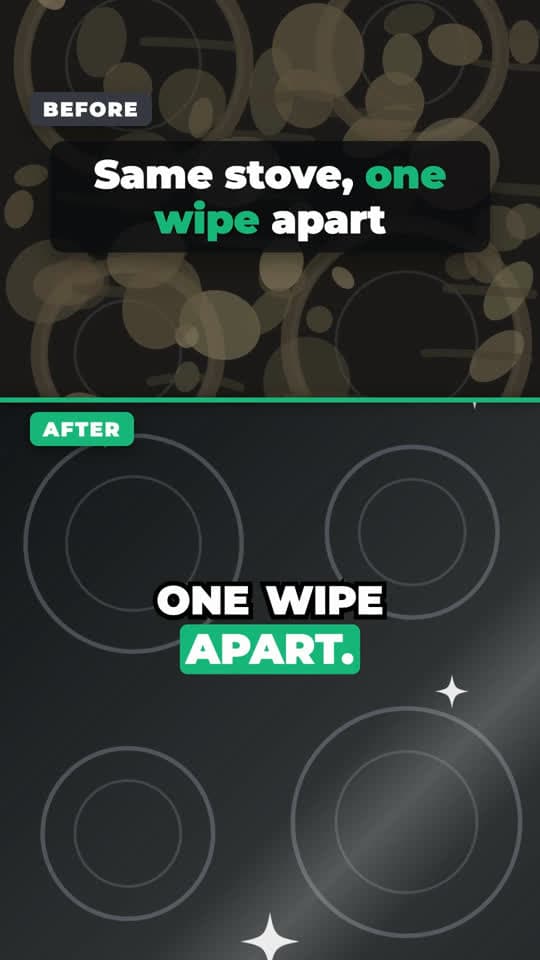
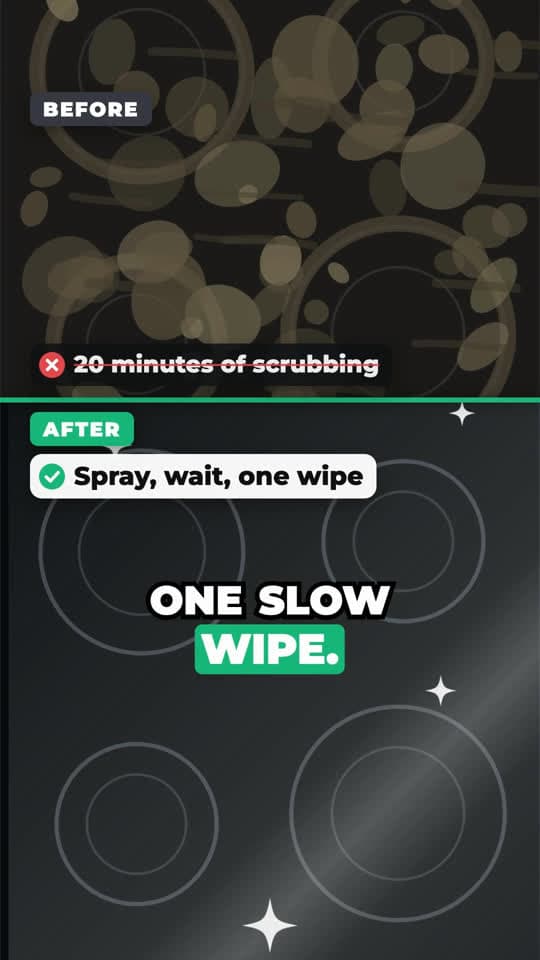
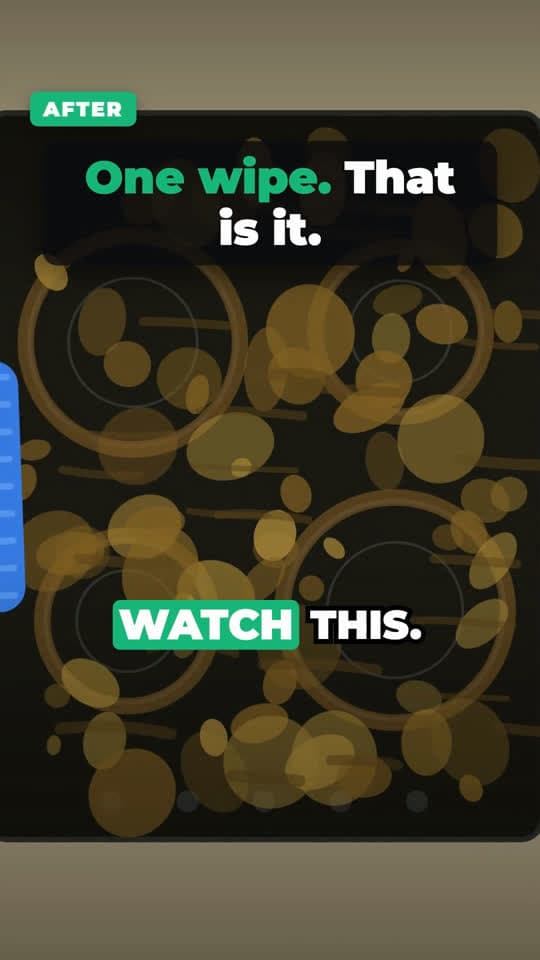
The sample render, beat by beat (about 27 seconds). The same comparison runs through the whole video; each point adds one more reason.
Layout sketch of the template. The frames at the top come from our own sample render.
| Beat | On screen | Voiceover |
|---|---|---|
| Hook0:00–0:04 | Split screen: before on top, after wipes in below. Headline. | “This is the same stove, just one wipe apart.” |
| Problem0:04–0:08 | Full-screen before shot with a short text line. | “Every night the grease bakes on, and dish soap just smears it around.” |
| Demo0:08–0:16 | Points 1 and 2: a ✗ pain on the before side, a ✓ result on the after side. | “No more scrubbing for twenty minutes. Spray it, wait a minute, then one slow wipe.” |
| Proof0:16–0:20 | Point 3 with a second before/after pair. | “It works on the backsplash too. The grout goes from brown to bright.” |
| Payoff0:20–0:24 | Full-screen clip of the wipe. | “Watch this. One pass, and the whole cooktop shines.” |
| Call to action0:24–0:27 | End card and button. | “Tap the cart below and get the shine back tonight.” |
Why before and after works
Nothing explains a product faster than the difference it makes. A before and after video can be understood in one frame with the sound off, which is exactly how a lot of people meet it in their feed.
Among the kitchen videos we studied while building this template was a simple comparison: a silicone spoon scraping a pot clean next to a metal one that left food behind. No voiceover, fast cuts, the difference visible from the first frame. The template keeps that idea, the contrast carrying the video, and adds the parts a seller needs: a spoken hook, reasons, and a call to action.
Getting the shots right
Shoot the before and the after from the same spot, at the same distance, in the same light. If the angle changes, viewers assume the result was staged. A phone leaned against something is enough; mark where it stood so you can put it back.
Upload the before shot first and the after shot second. You can add another pair for any point, for example the stovetop and then the backsplash. A short clip of the change happening, such as one wipe, makes a strong payoff shot.
- Stacked (top and bottom) or side by side layout
- Before side is dimmed and desaturated by default so the after stands out
- Up to five points, each with a pain on the before side and a result on the after side
- Optional full-screen problem and payoff beats
Only show results that are real
Before and after is the format where honesty matters most. Use your own photos of your own product working. Avoid it for products whose effect isn't visible or can't be shown fairly: skincare, supplements and weight loss results are regulated, and platforms review those claims closely.
When to use before and after
Good fit
- Cleaning, degreasing and stain removal
- Organizing, storage and home fixes
- Kitchen tools where the result is on the plate
Not a good fit
- Skincare, supplements, weight loss and other regulated results
- Products whose effect you can't show in a photo
How to make a before and after video
- 01
Break down a reference
Paste a before and after video you like. Its beats decide how long the hook, the problem and the payoff run.
- 02
Choose Before / after split screen
Upload the before shot, then the after shot, and add your product.
- 03
Render
Pick a hook and a voice. Each video is 1 credit and comes out 9:16 with captions.
Before and after video questions
Do I need video, or are photos enough?
Two photos are enough. A short clip of the change happening makes a stronger payoff, but it is optional.
Can I put before and after side by side?
Yes. The template supports stacked (top and bottom) and side by side layouts.
Which order should I upload in?
Before first, then after. Extra pairs for individual points can be added the same way.
What does it cost?
The script is free when you sign in. Each rendered video is 1 credit; new accounts start with 10 free credits.
Keep going
- Product Demo VideoHook headline, 3–5 selling points with their own shots, captions and a cart call to action.
- Split Screen Gameplay VideoYour message on the top half, motion on the bottom half, captions on the seam.
- Viral Video AnalyzerThe full breakdown of a TikTok or Short: hook, beats, shots, pacing and transcript.
- PricingBreakdowns and scripts are free. You pay credits only for videos we render.
Show the difference
Sign up free, upload a before and an after, and render your first video.