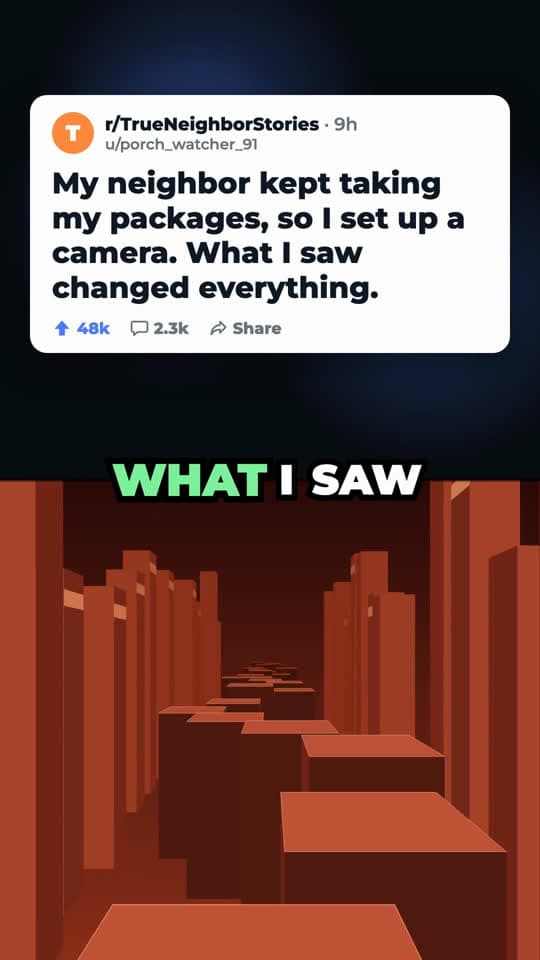
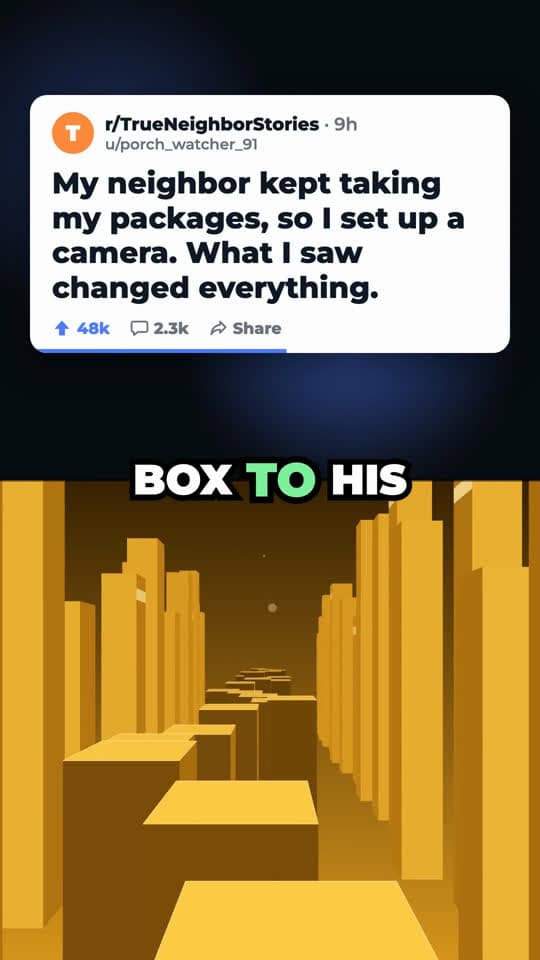
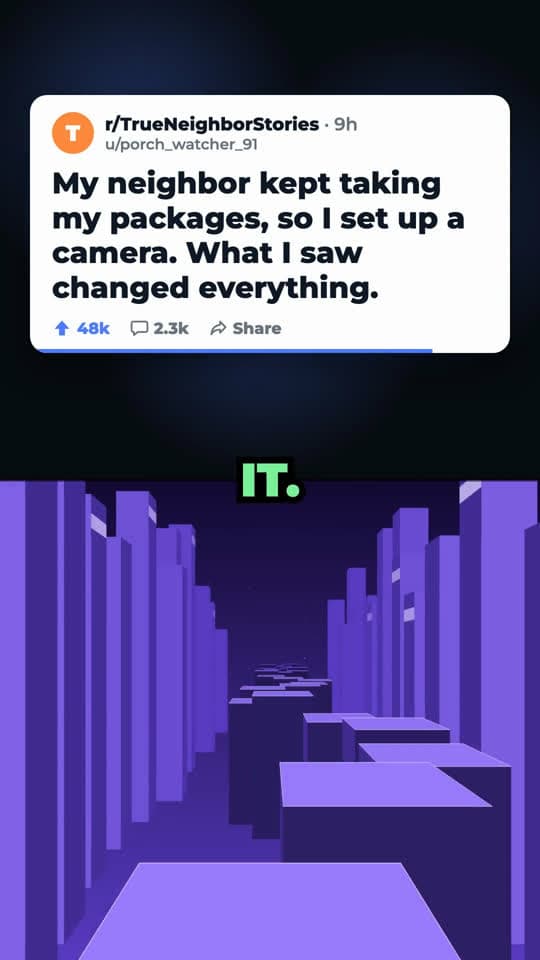
What goes in each half
An illustrative split screen script for a small bakery's account, in the same layout as the frames above. The top half changes only when the message does; the bottom half never stops.
Layout sketch of the template. The frames at the top come from our own sample render.
| Beat | On screen | Voiceover |
|---|---|---|
| Hook0:00–0:04 | Top: a card with the question as its title. Bottom: background starts moving. | “We threw away four hundred croissants before we figured this out.” |
| Problem0:04–0:10 | Top card stays. Captions pop in on the seam, one word highlighted at a time. | “Every Sunday we baked for a crowd that never came, and every Monday it went in the bin.” |
| Solution0:10–0:20 | Top card stays; the background keeps running underneath. | “So we started taking orders until Saturday night and baking only what was ordered, plus one tray.” |
| Payoff0:20–0:27 | Same layout; the captions carry the result. | “Now the only croissants left on Monday are the ones we eat.” |
| Call to action0:27–0:30 | Last caption on the seam. | “Order by Saturday, link in bio.” |
Why split screen videos hold attention
The split screen format pairs something to follow with something to watch. The top half has the information, a story or a list; the bottom half never stops moving, so there is always a small reason not to scroll. The captions on the seam tie the two halves together and let people follow with the sound off.
The layout is simple, and that is part of why it spreads: nobody has to be on camera, and the same frame works for a story, a list of facts or a short explainer. What changes between a split screen video that gets watched and one that doesn't is mostly the script: a first line that opens a question, and sentences short enough to read in the captions.
Gameplay, without the gameplay
The classic version puts mobile game or parkour footage in the bottom half. That footage isn't yours to reuse, and platforms increasingly treat recycled clips as unoriginal content. Our template generates an abstract endless-run scene in code instead: towers of blocks rushing past, with the color changing every nine seconds. It gives the bottom half the same constant motion without a single frame of anyone else's video.
The top half uses a clean text card with a generic community name and username. You don't need to supply screenshots.
What we write and render
From your brief we write the script, three hook options and the text for the top card. You pick the hook and one of two AI voices; we render the video at 1080×1920 with word-by-word captions. The script is free. Each rendered video costs 1 credit.
Every remix starts from a video you broke down, so pick a split screen or story video you like as the reference. Its beat structure decides the order of your script.
When split screen works
Good fit
- Stories, confessions and “what happened next” content
- Fact lists and myth-busting that people read rather than watch
- Accounts where nobody wants to be on camera
Not a good fit
- Showing a product in use: use the product demo or before and after template
- Videos that depend on your face and reactions: use the green screen template
How to make a split screen video
- 01
Break down a reference
Paste a split screen or story video that did well, or pick one from the viral library.
- 02
Choose Story + gameplay split screen
In Create, pick the template and write a short brief. No uploads are needed.
- 03
Render and post
Pick a hook and a voice, render for 1 credit, then download the 9:16 video.
Split screen video questions
Can I use my own gameplay footage?
Not in this template at the moment. The bottom half is always our generated background, which keeps your video free of third-party footage.
Is this the same as the Reddit story template?
It is the same template. Our Reddit story page covers story videos; this page covers the split screen layout for any message: stories, lists or short explainers.
Which aspect ratio do I get?
Vertical 9:16 at 1080×1920, with captions burned in, so it works on TikTok, YouTube Shorts and Instagram Reels.
Is there a watermark?
Videos made on the free plan have a small watermark. Any paid plan or a one-time credit pack removes it.
Keep going
- Reddit Story Video GeneratorA post card on top, a moving background below, narrated with captions. No uploads needed.
- Before and After VideoBefore and after, split screen, with pain-versus-result points and captions.
- TikTok Transcript GeneratorPaste a TikTok link, get every spoken line with timestamps. Copy it or download it.
- PricingBreakdowns and scripts are free. You pay credits only for videos we render.
Make a split screen video
Sign up free and render your first one with the credits every new account gets.