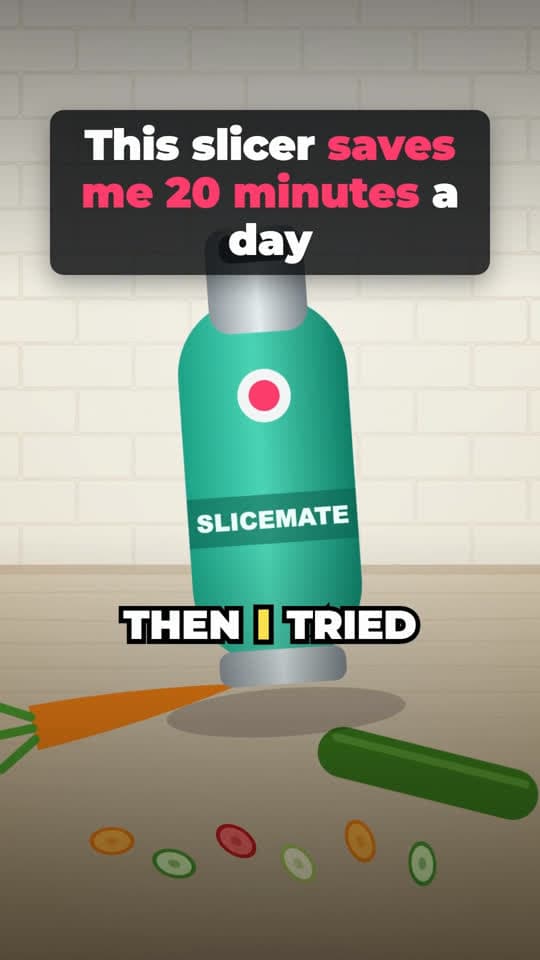
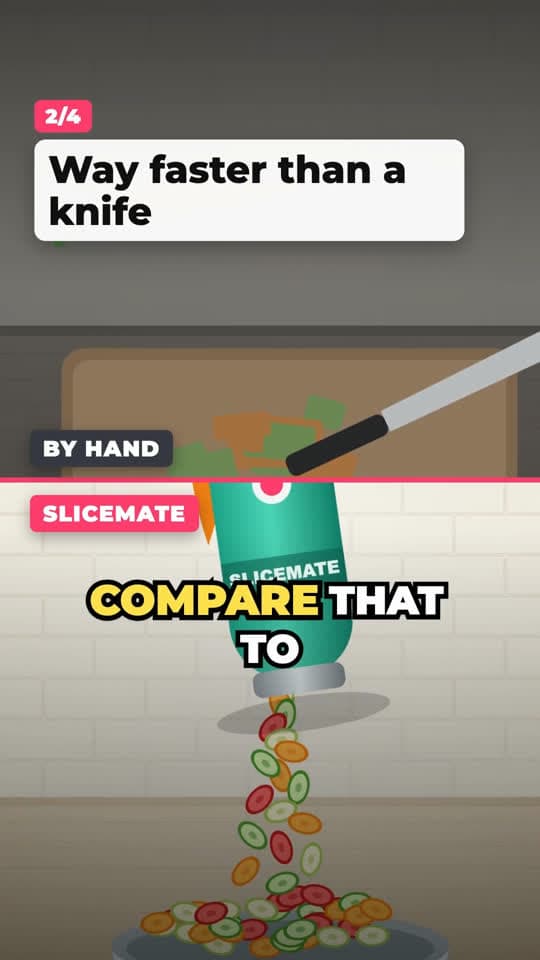
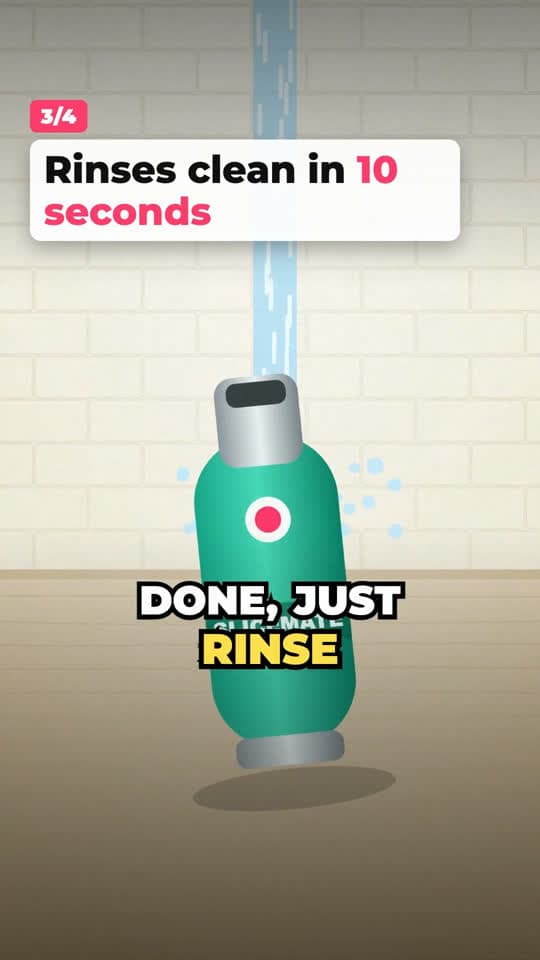
How a product demo video is structured
The sample render, beat by beat (about 28 seconds). Each selling point is one shot and one sentence.
Layout sketch of the template. The frames at the top come from our own sample render.
| Beat | On screen | Voiceover |
|---|---|---|
| Hook0:00–0:05 | Banner headline over the product, slow push-in. | “I did not believe a slicer could save me twenty minutes a day. Then I tried this.” |
| Demo0:05–0:10 | Point 1: clip of a carrot going through. Numbered label card. | “Drop in a whole carrot and it is sliced in about three seconds.” |
| Proof0:10–0:15 | Point 2: split comparison, by hand on top, the product below. | “Compare that to chopping by hand. Uneven chunks, sore wrists, and way more time.” |
| Demo0:15–0:20 | Point 3: rinse clip. | “When you are done, just rinse it under the tap. Ten seconds and it is clean.” |
| Payoff0:20–0:24 | Point 4: full bowl, slow pull-out. | “A full bowl of veggies for the whole week, with zero effort.” |
| Call to action0:24–0:28 | End card with the product and a button. | “Tap the cart below and grab yours.” |
Why this structure sells
A product demo listicle answers the buyer's questions in the order they come up: what is this, what does it do, is it better than what I have, and where do I get it. Numbered points tell the viewer how long they're committing to, and a new shot for every point keeps the picture changing.
Looking at the kitchen and home gadget videos we broke down, the openings that did well showed the result or something surprising right away, and the hook was over within the first five seconds, often much sooner. Most of the running time went to the product working, cut fast: one of them changed shot roughly every two seconds for over a minute. The template is built around that: a short hook, then one shot per point.
What you need
Three to six product photos or short vertical clips. Clips of the product in use work better than packshots; a phone video on a kitchen counter is fine. If you have an old-way or before shot, add it and the proof point can show it next to the product.
Then a short brief: the product name, one sentence about it and at least three selling points. We write the hook options, the line for each point and the call to action, and you choose which of the three hooks to render.
- Hook headline in banner, outline or sticker style
- Three to five numbered selling points, each with its own shot
- Optional comparison point (old way vs your product)
- Word-by-word captions, AI voiceover, end card with your call to action
Keep the claims honest
Every number in your script should be one you can back up. “Slices a carrot in three seconds” is fine if it does; “doctors recommend it” is not unless they do. TikTok Shop reviews ads for unsupported claims, and so do shoppers in the comments. The script generator writes from your selling points, so the safest brief is one with facts in it.
When to use a product demo
Good fit
- Gadgets and tools that show what they do in a few seconds
- Products with three or more distinct selling points
- TikTok Shop and store listings that need several videos per product
Not a good fit
- Results that take weeks to see, such as skincare: use UGC with captions and talk about the experience
- Products you have no photos or clips of yet
How to make a product demo video
- 01
Break down a winning demo
Paste a product video from your niche that outperformed, or pick one from the viral library.
- 02
Choose Product demo listicle
Upload three to six photos or clips and add your product, or pick one you saved.
- 03
Test three hooks
Render one, two or all three hooks. Each video is 1 credit, so testing hooks stays cheap.
Product demo video questions
Can I import my product from a store link?
Yes. In your product library, paste a Shopify or other product page link and we try to read the name, price, description and images. Amazon and TikTok Shop pages often block this; then fill in the fields yourself.
Do I need video clips, or are photos enough?
Photos work: they get slow push-ins and pans. Clips of the product in use usually make a stronger demo point.
What does it cost?
The script is free when you sign in. Each rendered video costs 1 credit, and new accounts start with 10 free credits.
Can I remove the watermark?
Yes. Any paid plan or a one-time credit pack removes it from new videos.
Keep going
- Before and After VideoBefore and after, split screen, with pain-versus-result points and captions.
- UGC Video With CaptionsYour phone clips, cut in order, with a hook title, captions and an end card.
- TikTok Script GeneratorA script for your product on a proven structure: three hooks and a shot plan, free.
- PricingBreakdowns and scripts are free. You pay credits only for videos we render.
Make a product demo from your photos
Sign up free, upload a few product shots and render your first video.